
TIME
LAPSE.
Your construction project changes every day. Capture that progress with automatic images from your video tower and a visual timeline in the customer portal.
Available as a paid add-on to your video tower.
YOUR PROJECT. OVER TIME.
From individual images to a view of the construction period: follow your project’s progress in the customer portal.
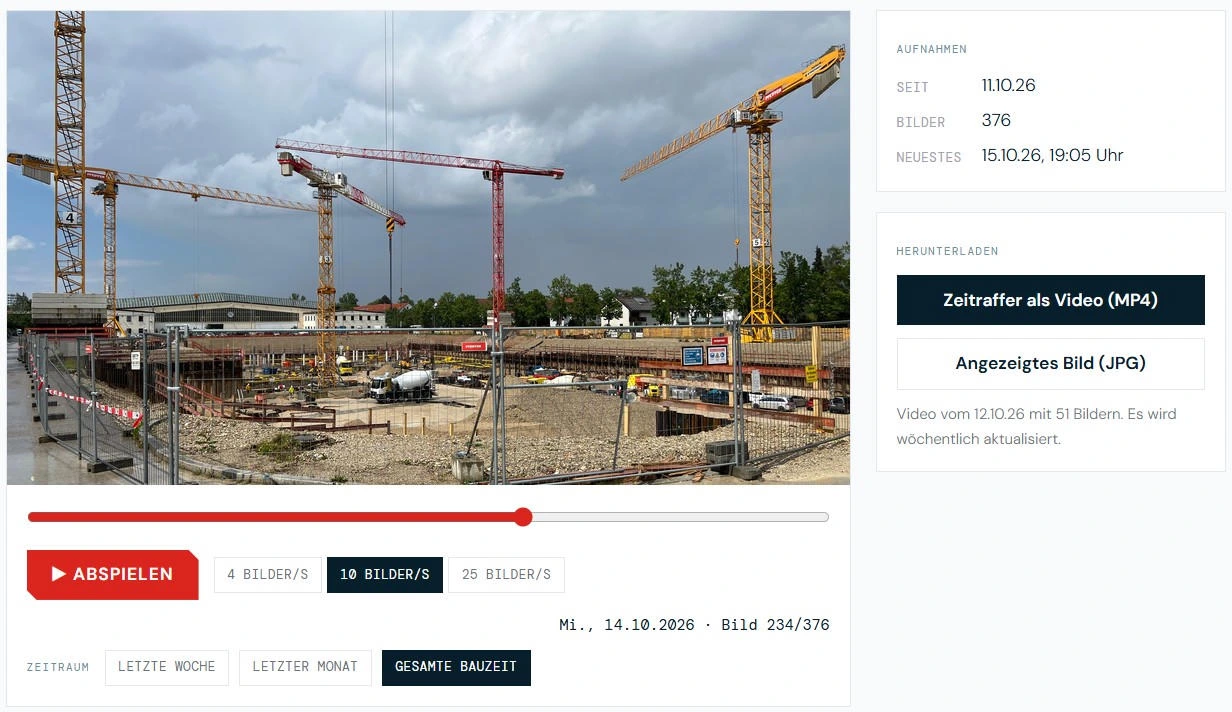
Complete portal view shown as a screenshot. The pictured controls are not interactive here.
FROM IMAGES TO A TIMELINE.
The camera is already on site. Now add progress documentation.
- 01
Capture
The tower camera takes images automatically – daily by default.
- 02
Transfer
Images are uploaded automatically to a secured server.
- 03
Assignment
Each image is assigned to the correct construction site.
- 04
Access
View your construction site’s timeline in the customer portal.
PROGRESS ON RECORD.
Visual documentation for everyone involved in your project.
Document construction progress
Daily images record how your project develops.
Keep clients and investors informed
A visual overview makes communication easier.
Support project discussions
The image sequence helps explain developments and answer questions.
Present your projects
Use approved images for project completion and marketing.
YOUR CONSTRUCTION PROJECT.
DAY BY DAY.
Would you like to add time-lapse to your video tower? Tell us about your site and we will discuss the add-on for your project.
Available as a paid add-on to your video tower.